
PatCheck – Organize Patents and Assess Risks with Ease
PatCheck is a patent tool for small businesses, developers, engineers, and inventors who need clarity instead of legal complexity.
It enables you to organize patent portfolios, understand protection status, and assess patent risks (Freedom to Operate) directly in your browser—without prior patent expertise.
No jargon. No training. Get started instantly.
👉 Open PatCheck now
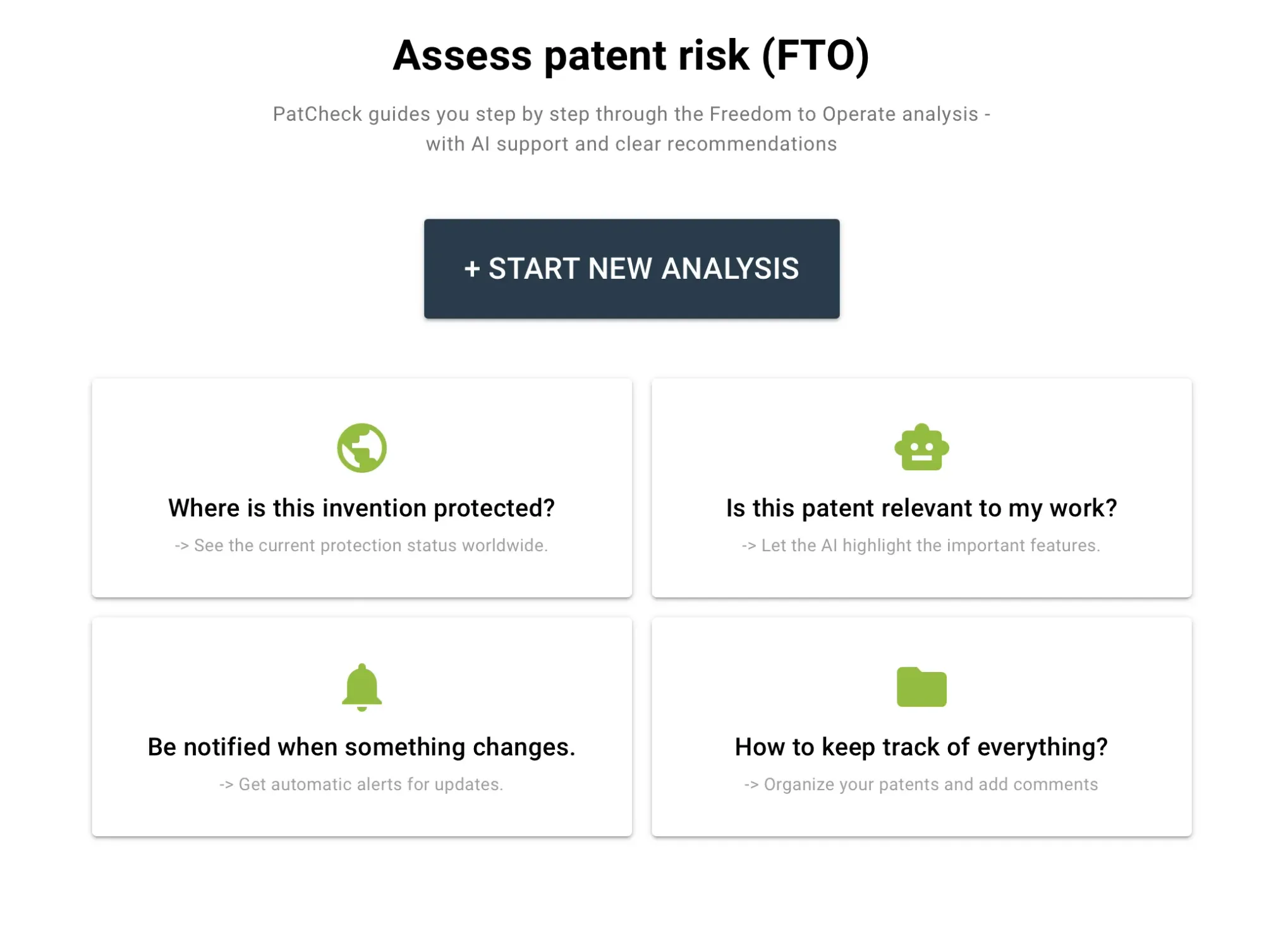
Who PatCheck Is For
PatCheck is built for small and medium-sized companies, developers, engineers, inventors, and executive assistants—anyone who works with patents but lacks the time for complex tools or legal terminology.
Instead of spreadsheets and overloaded interfaces, PatCheck delivers a clear, focused view of what matters: protection status, relevance to your product, and a structured overview of your patent portfolio.
PatCheck focuses exclusively on the information you need to get the job done.
🌍 Available in 9 languages
Titles and the user interface can be displayed in nine languages—ideal for international teams and cross-border patent work.
How PatCheck Works
Step 1 – Enter patent numbers
Add one or multiple patent numbers and assign them to projects or folders.
Step 2 – Get an instant overview
See protection status, countries, patents covering the same invention, remaining protection period, applicant, title, and abstract at a glance.
Step 3 – Assess patent risks
Run the guided FTO analysis and record relevant differences between the patent claims (legal scope of the patent) and your product.
Step 4 – Monitor changes and add notes
Enable monitoring to receive automatic alerts when the protection status of a patent or another patent covering the same invention changes.
Add notes directly to patents to capture insights and keep your documentation consistent over time.
Key Strengths of PatCheck
Flexible organization in projects and folders
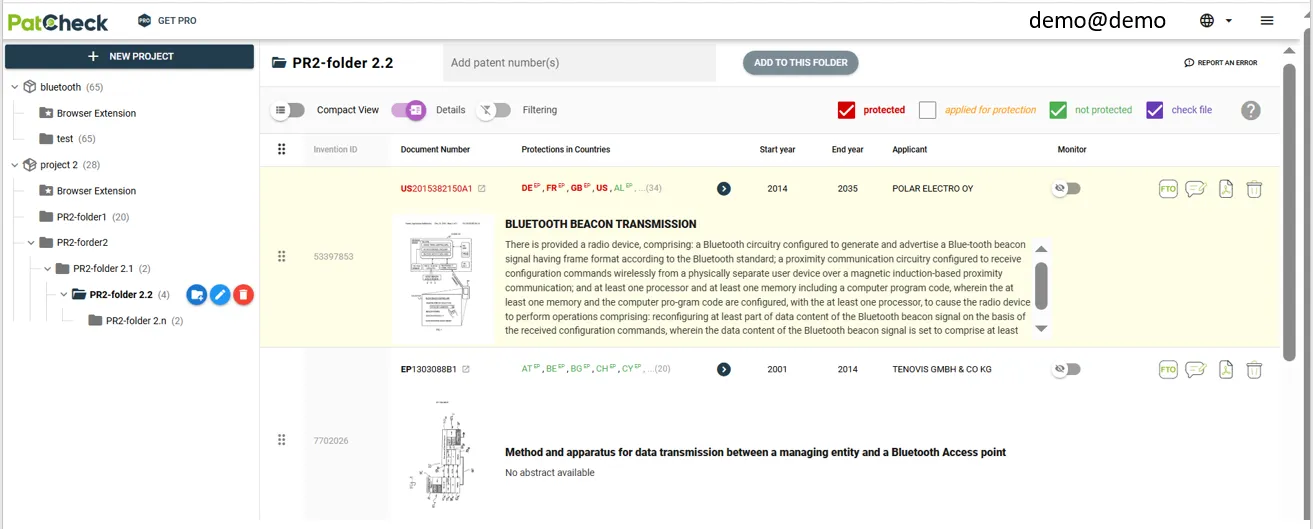
Organize patents by product, customer, or technology. No Excel files, no clutter.
Simplified, color-coded protection status
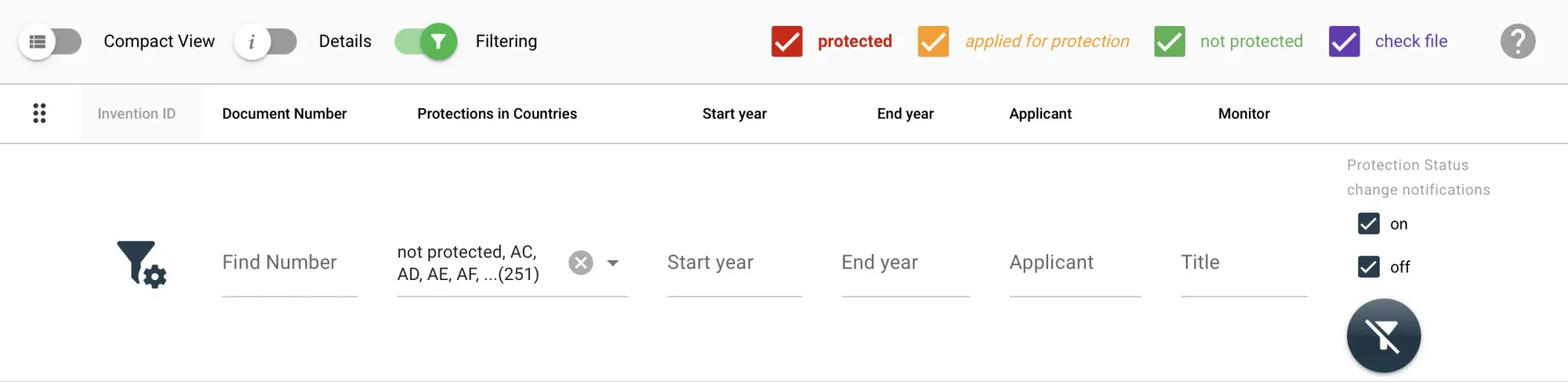
Instantly see whether an invention is protected by a patent, applied for patent protection, no longer protected, or requires file inspection. Narrow results by country or protection status.
Protection scope for the same invention at a glance
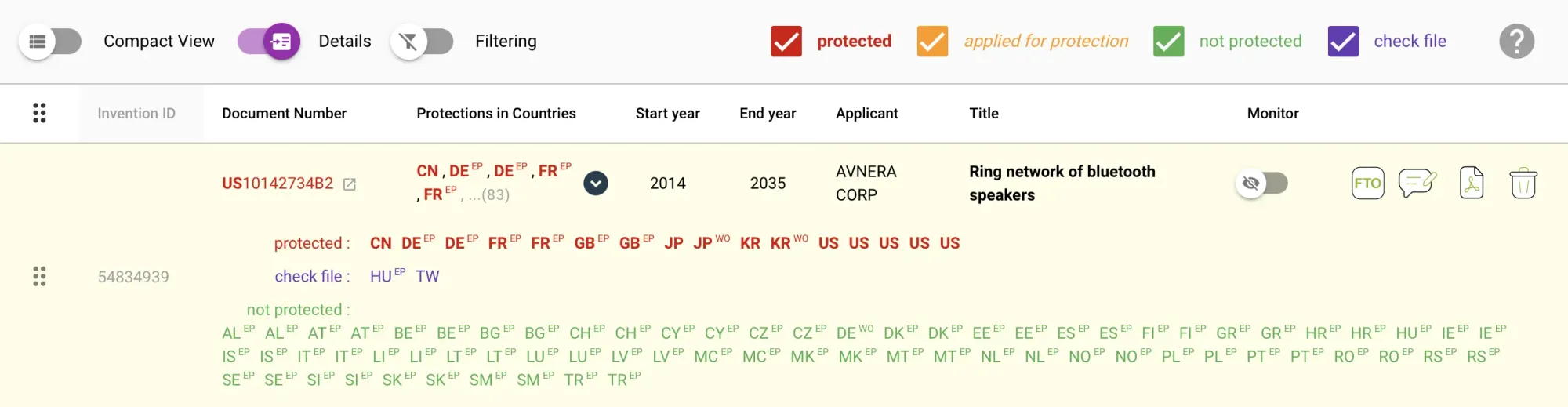
View all patents for the same invention together and see where protection exists, including country-specific status and remaining term
One-click import and clear presentation
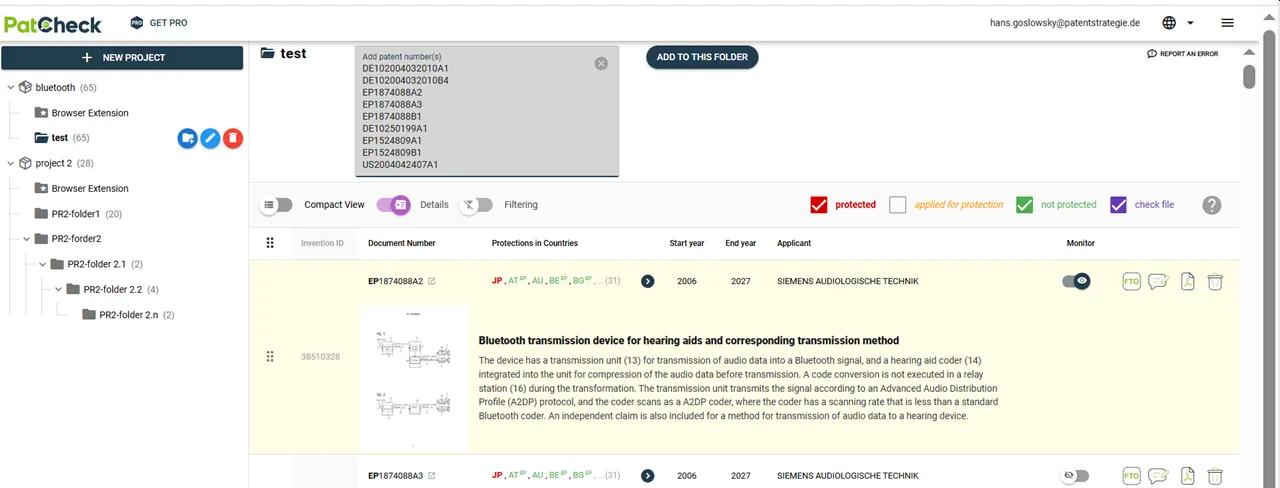
Import patents directly from search results or lists and review them in a clean, jargon-free interface.
With the PatCheck Extension installed, patents can also be imported with a single click from Espacenet, Google Patents, WIPO Patentscope, and USPTO PPUBS.
Notes across patents covering the same invention
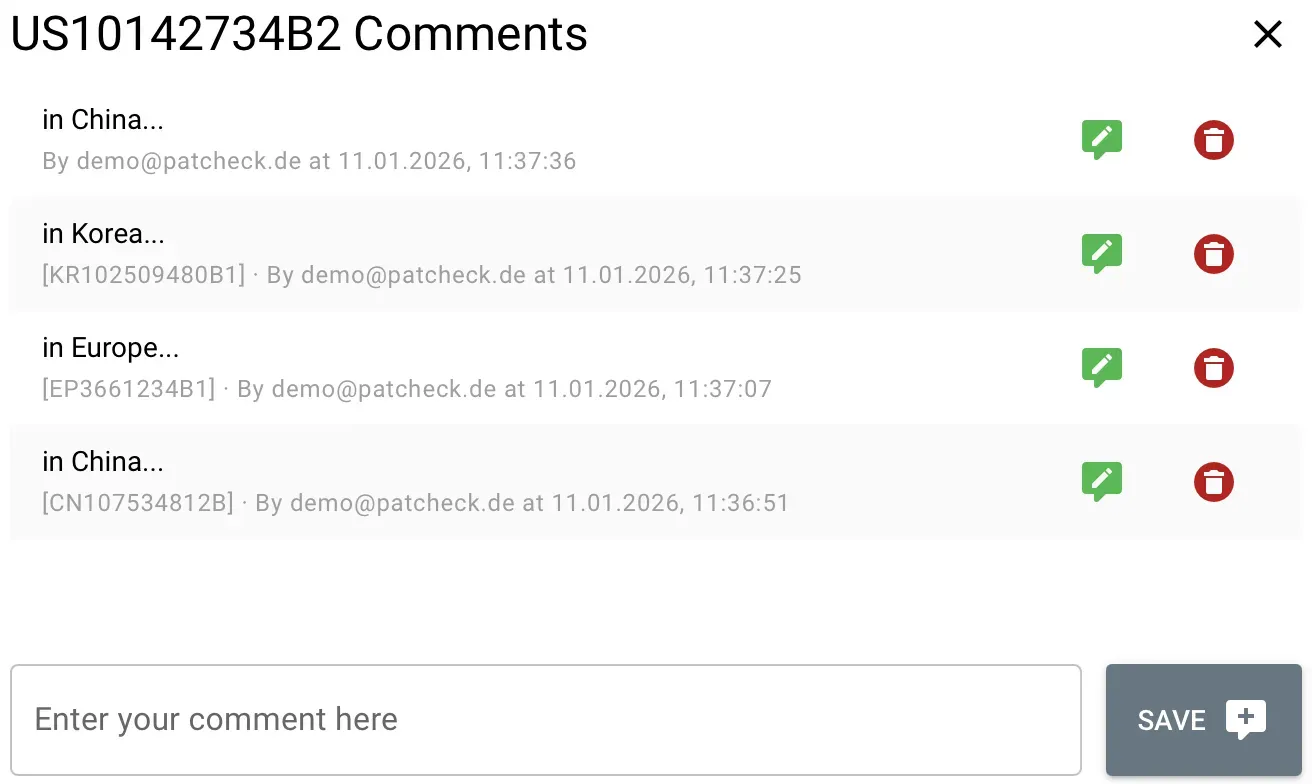
Add comments directly to patents and keep documentation consistent across all patents covering the same invention.
Monitoring of protection status changes
Enable monitoring and receive automatic notifications when the protection status of a patent or another patent covering the same invention changes—reducing manual tracking effort.
Assess Patent Risks (Freedom to Operate)
PatCheck provides a guided and transparent Freedom to Operate (FTO) analysis.
The process leads you step by step through the evaluation—without requiring legal interpretation skills.
You are guided through:
- loading patent claims
- identifying independent claims
- breaking claims into technical features
- assessing relevance to your product
- documenting results and decisions
Each step is structured, traceable, and repeatable.
FTO Workflow
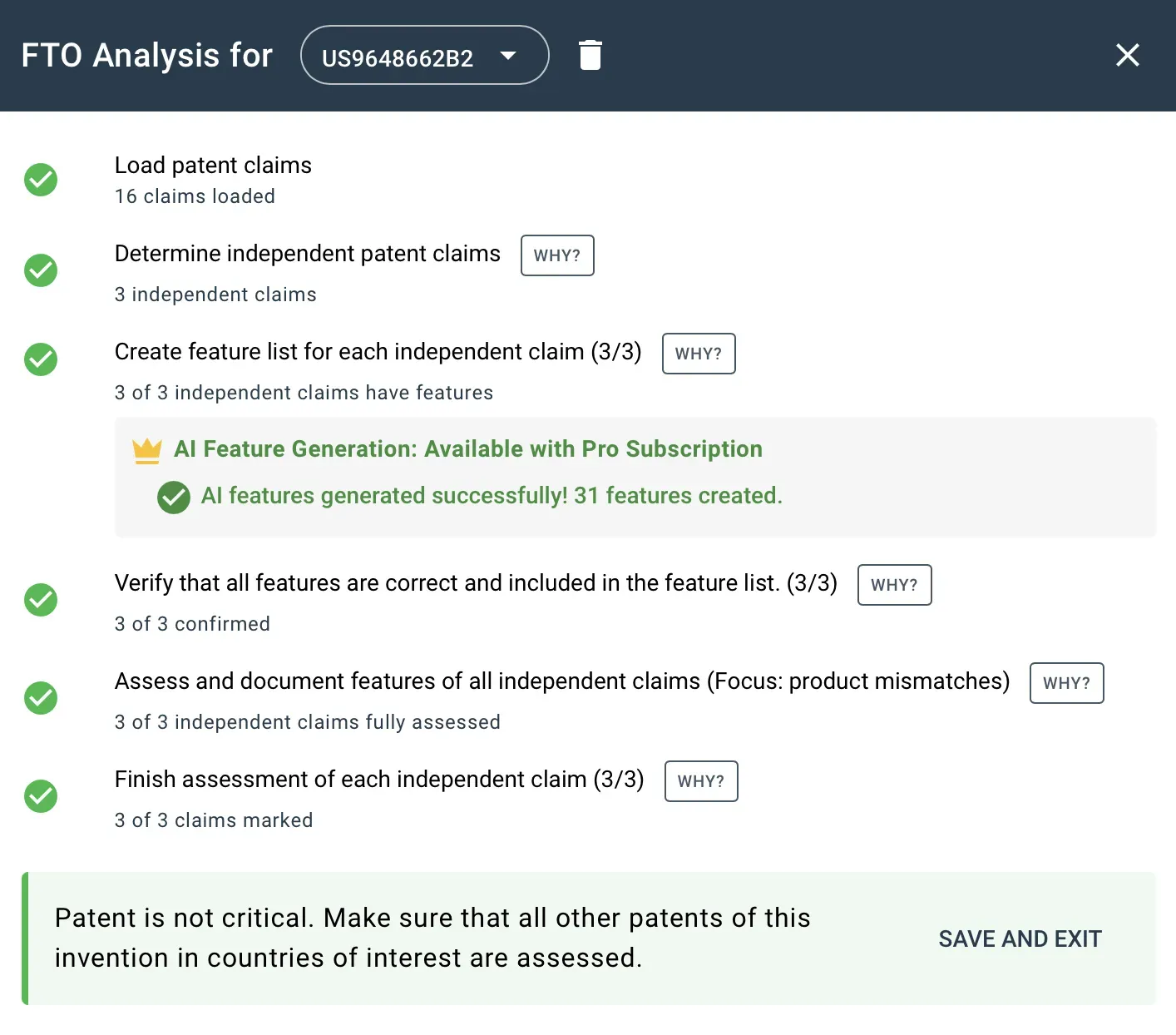
Clear results and recommendations
At the end of the analysis, PatCheck provides a clear recommendation, for example:
“Patent is not critical. Ensure that all related patents of this invention are assessed in the relevant countries.”
This makes PatCheck an ideal pre-check before involving an attorney.
Try PatCheck — Patent Work Without Legal Complexity
Test PatCheck for free and discover how easy it is to organize patents, understand protection status, and assess patent risks—even without patent expertise.
No installation required. Works directly in your browser.